



A step-by-step guide for the remote or field worker
The MākuSafe FIELD KIT makes it simple for workers to use the Ally wearable continuously, even when they spend extended periods away from a central facility. With a connected mobile device and the MākuSmart app, workers can collect safety data throughout the day and automatically transmit it when connectivity is available.
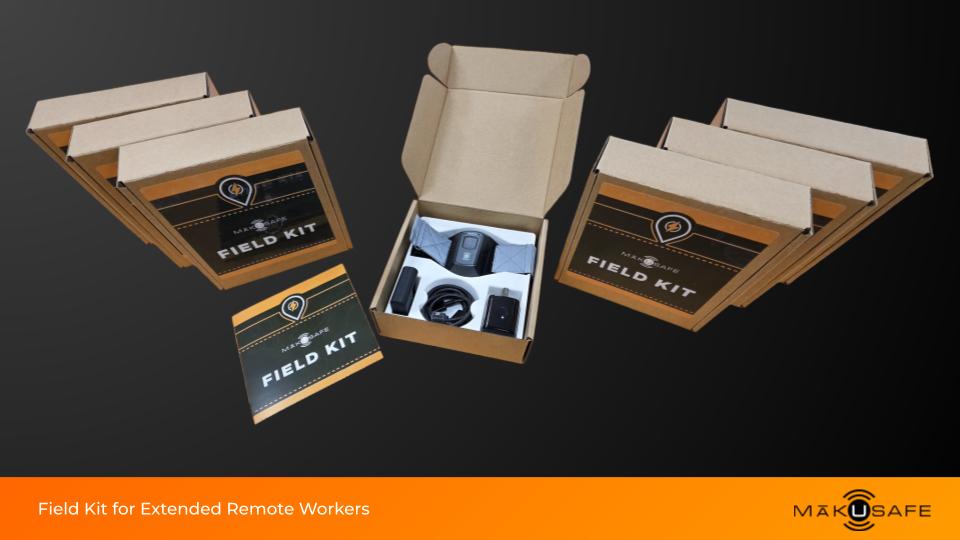
This guide walks through what’s included in the kit and how to get started.
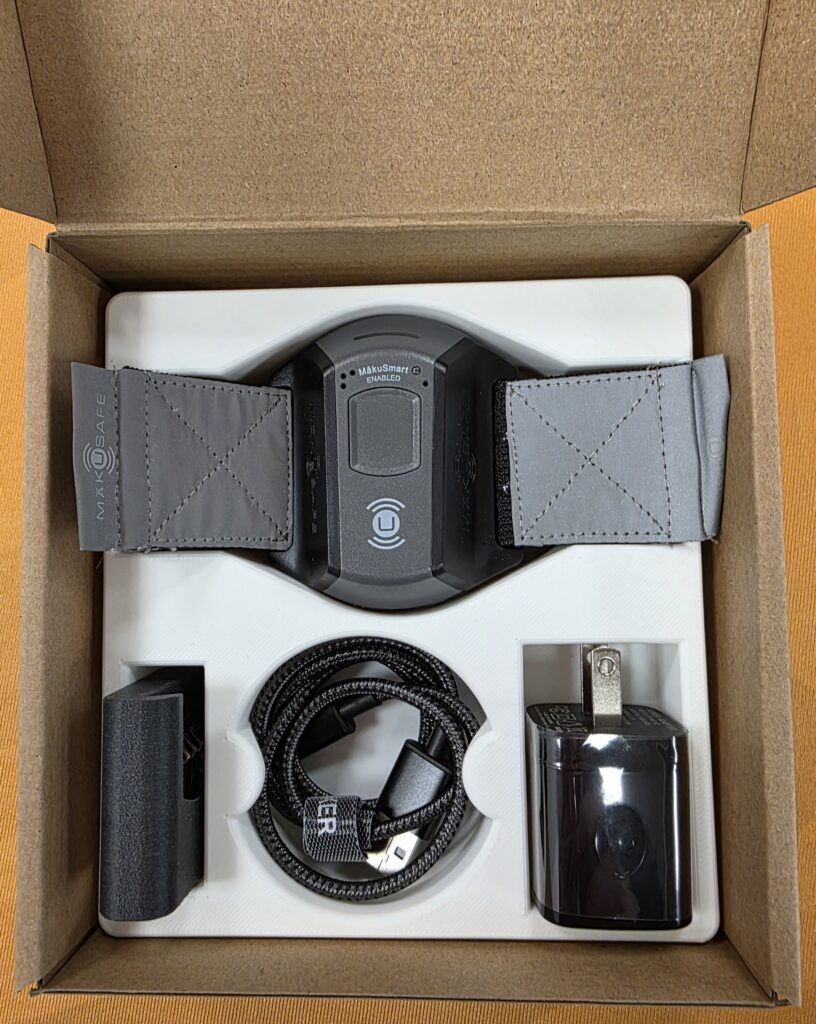
What’s Included in the FIELD KIT
The MākuSafe FIELD KIT contains everything needed for daily use in the field.
FIELD KIT contents:
- Ally wearable device
- Armband with locking holster
- Smart remote charger
- USB to USB-C charging cord
- Power wall adapter
The smart charger is designed for real field conditions. It is heat tested for vehicle environments, ruggedized for industrial use, and built to protect the device during daily operations.
Before You Begin
Before pairing the wearable, confirm a few quick steps:
- Your organization has a MākuSmart account
- Your email address is set up as a user
- You have a connected mobile device with the MākuSafe app installed

Download the MākuSafe App
- Download and open the MākuSafe app on your phone or tablet.
- Log in using your work email and credentials.
Charge the Wearable
- Plug the Ally wearable into the smart remote charger using the included USB to USB-C cord and power adapter.
- Allow the device to begin charging before pairing.
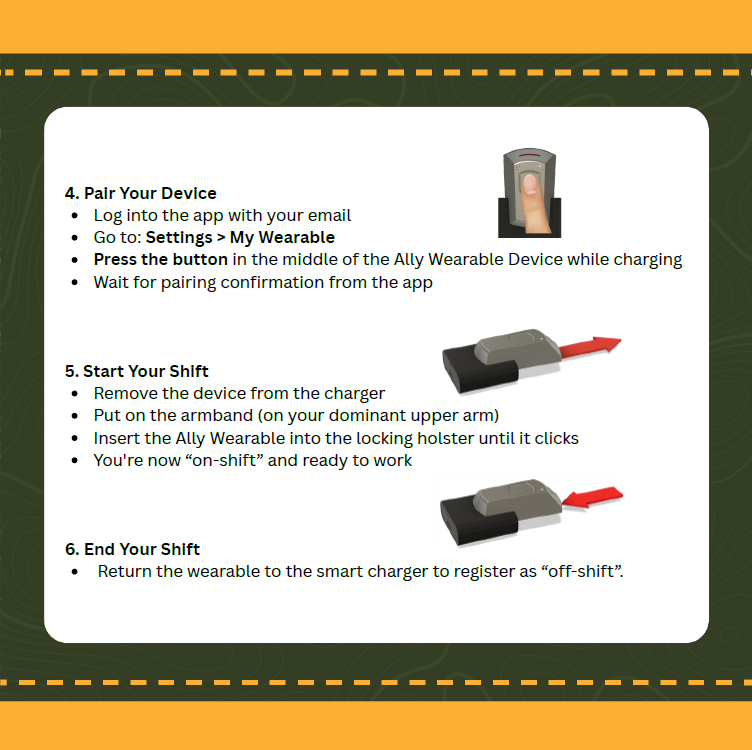
Pair the Wearable
In the app:
- Go to Settings
- Select My Wearable
- Press the button in the center of the Ally wearable while it is charging
- Wait for the pairing confirmation in the app
Once paired, the wearable will automatically connect to your mobile device during the workday.


How the FIELD KIT Works
The Ally wearable connects to your mobile device via Bluetooth
- Bluetooth range is sufficient for normal work activities
- If the connection is temporarily lost, the wearable stores data
- Once connectivity is restored, stored data is automatically transmitted
This ensures that safety data is captured throughout the workday, even in areas with limited connectivity.
Privacy by Design
MākuSafe identifies hazards and risks, not people.
No personally identifiable information is collected, No biometric data is captured.
No continuous tracking. Location is used only to provide context for where hazards or exposures occur.
Simple, Seamless Daily Use
Once the wearable is paired, daily use is straightforward:
- Remove from the charger at the start of the shift
- Wear it during the workday
- Return it to the charger at the end of the shift
The device recharges overnight and is ready for the next day with no extra steps.
Need Help?
If you have questions about your FIELD KIT or pairing your wearable, contact your supervisor or your organization’s MākuSafe administrator. Or contact MākuSafe and we’ll do our best to help, email support@makusafe.com or call (515) 850-0995.